An estimate from your plan—not money moved, reserved or guaranteed.
Screens show fictional demo data from Sam 1.6 (11), captured 9–10 September 2026.
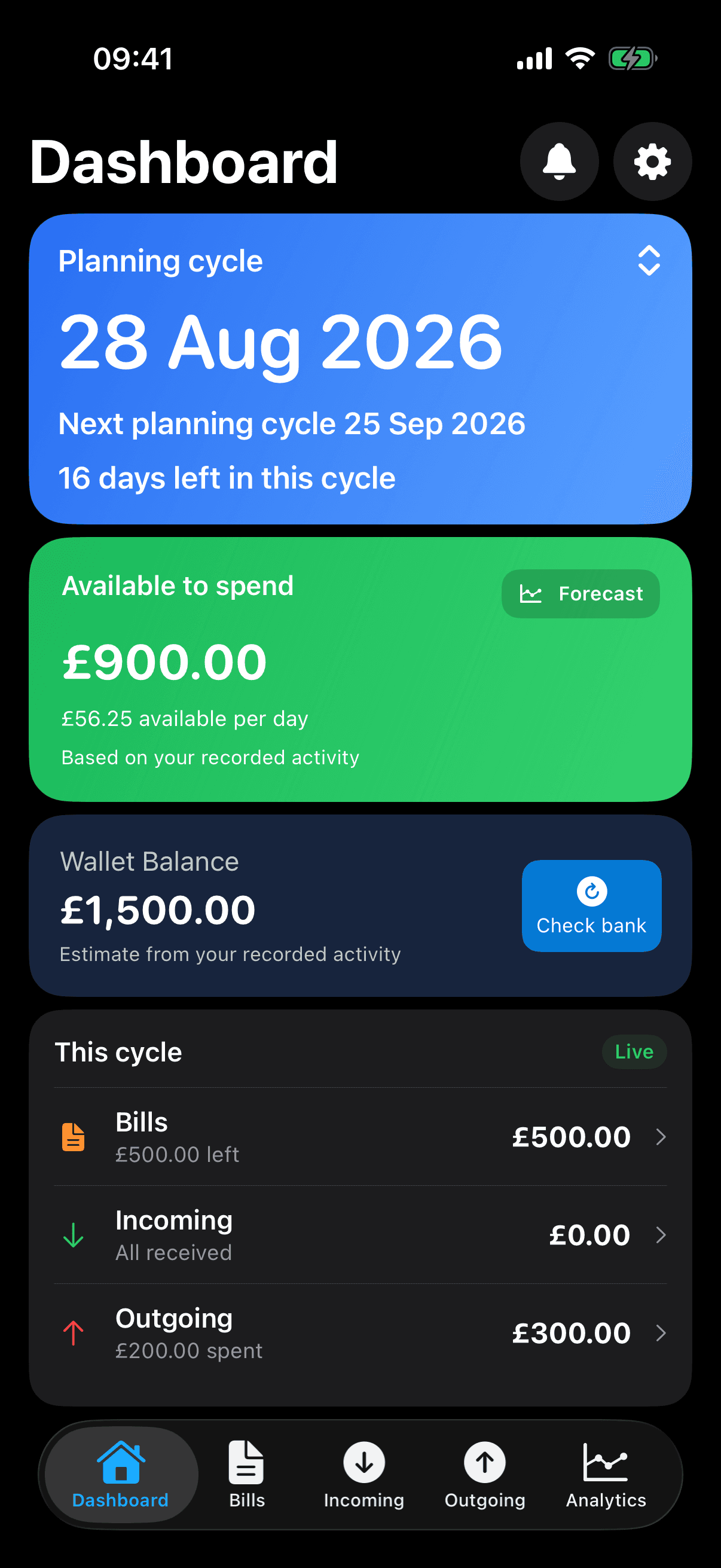
After recorded commitments£900 available
£1,500 recorded balance. £600 still committed. £900 available.Sam 1.6 (11) · Simulator capture · 9 September 2026 · Fictional demo data
New to Sort All Money? Start with your payday plan, then explore forecasts and spending insights. Wallet assistance is optional.
Your payday. Your rhythm.
Know what is due before payday.
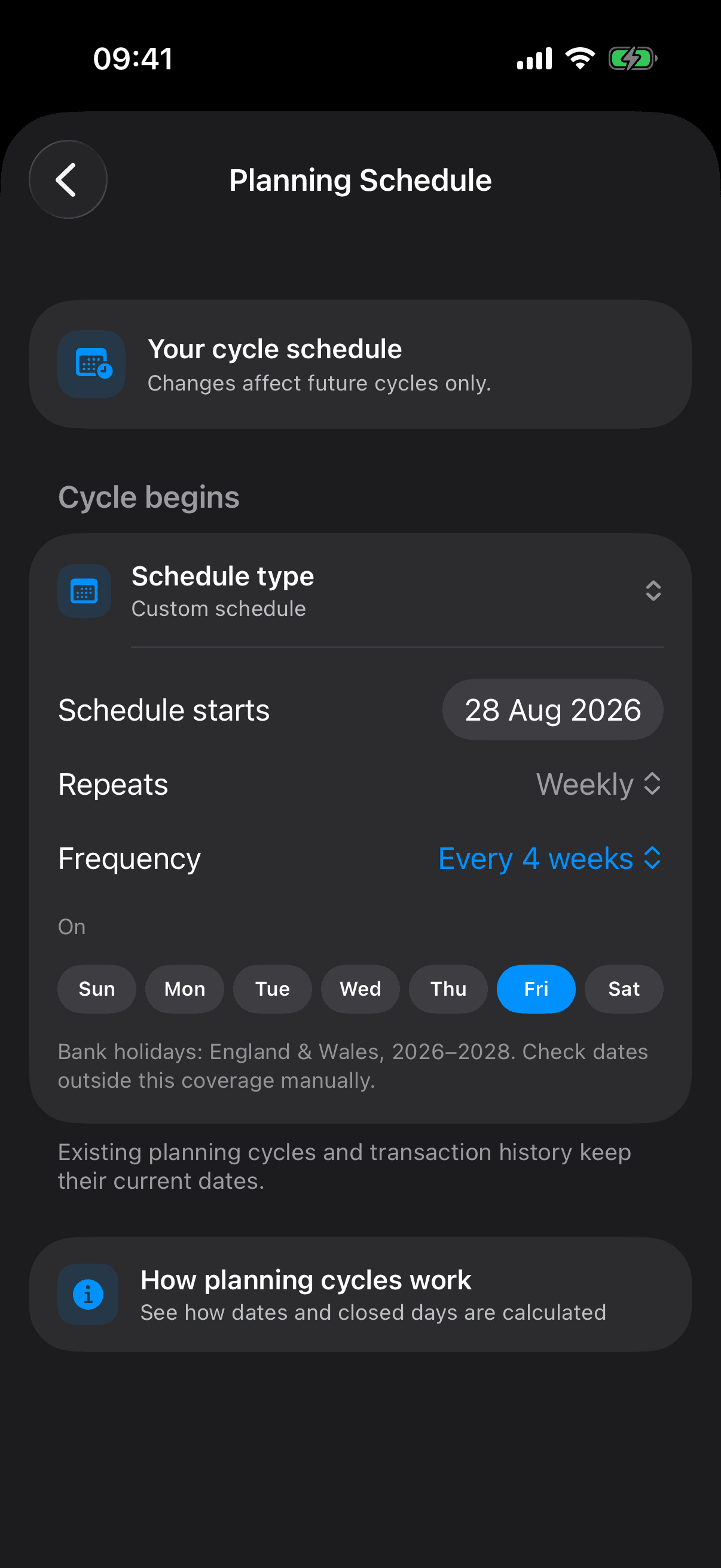
Keep each bill on its actual date and see which commitments fall before your next payday. Choose the adjustments you need for weekends and supported bank holidays.
Weekly, four-weekly, monthly and custom cycles are supported. Payday planning is included in Sort All Money at no cost.
Every four weeks, on Friday. The plan follows the schedule you choose.Sam 1.6 (11) · Simulator capture · 9 September 2026 · Fictional demo data
Optional Plus · Balance Visualise
Make what’s left easier to live with.
See the days ahead in daily and weekly terms, with bills already considered. Balance Visualise adds reporting and analytics; Available to Spend and your current-cycle forecast remain free.
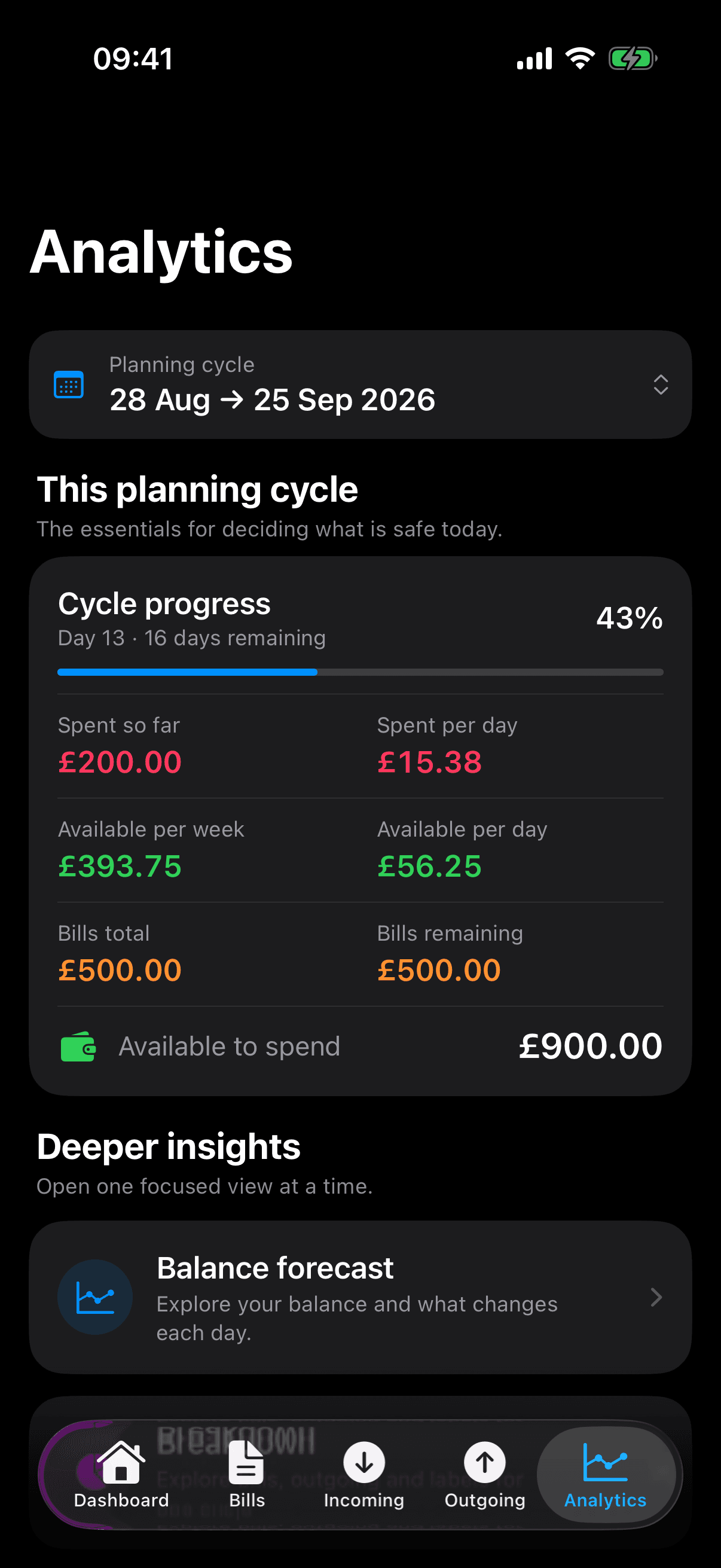
Available to Spend
£900
Days left
16
Available per week
£393.75
Available per day
£56.25
Figures from the fictional plan on 9 September. Spending room changes with your plan; it isn’t a guaranteed allowance or financial advice.
On the capture date: £900 available across 16 days, with £500 of bills still allowed for.Sam 1.6 (11) · Simulator capture · 9 September 2026 · Fictional demo data
Included at no cost
A regular plan, with room for real life.
Change one bill payment without rewriting future occurrences. Enter variable income when you know the amount, and see what still needs your attention.
Sort All Money stays useful at no cost after Plus access ends. Open the details to explore what is included.
Planning and schedules
Fixed, last-day, last-working-day and custom payday schedules, with supported weekend and bank-holiday adjustments.
Included details
Bills, income and outgoing
Recurring rules and future occurrences
Paid, received and planned statuses
The view between paydays
Available to Spend with balance context and a forecast for your current cycle.
Included details
Current-cycle forecast viewing and day inspection
Ordinary income, bill and spending edits
Standard labels and filters
Control and continuity
Free eligible Wallet connection and importing, with a complete manual route.
Included details
Reminders and App Lock
Manual transaction selection and balance correction
Wallet-assisted setup
Eligible Wallet-history import
Create and restore iCloud or encrypted portable backups
Connect eligible accounts through Apple Wallet for free. Use available activity to help set up your plan, import transactions or select them yourself. You can also make an explicit balance correction.
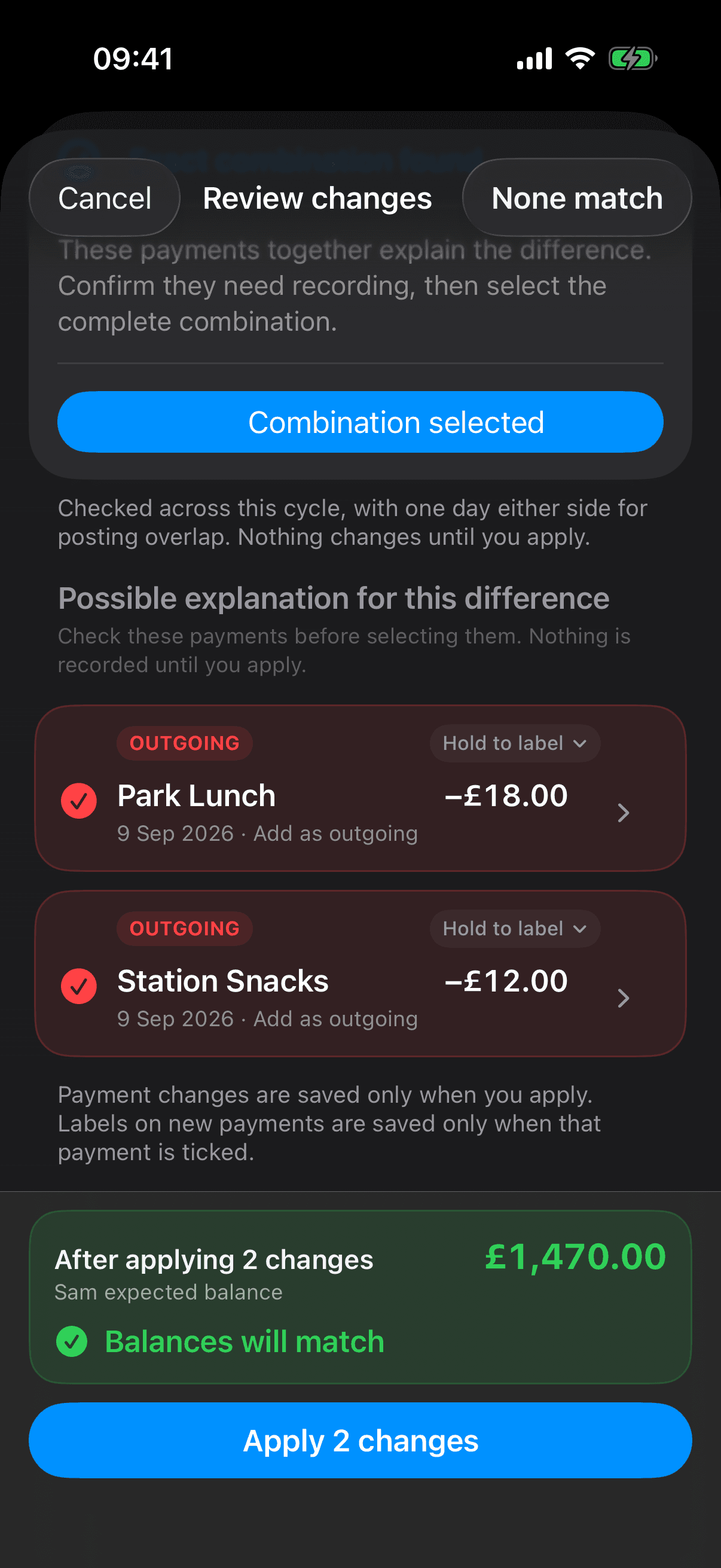
Optional Plus adds Balance Match: automated matching and assisted reconciliation, with your review before changes are saved. Manual planning stays available when Wallet is unavailable.
£18 + £12 = £30. The matching balance is a preview, awaiting Apply 2 changes.Sam 1.6 (11) · Simulator capture · 9 September 2026 · Fictional demo data · Synthetic Wallet data; review before applying
Historical matching demonstration; Balance Match is part of the planned Plus offer. A fitting total needs review. Wallet availability depends on the account, region, device, operating system and permission.
03 · Free backup and restore
A route back to the plan you built.
Create and restore private iCloud backups or password-encrypted portable backups for free, including after Plus ends. Your saved records remain available.
Restore your plan
Restore an iCloud or portable Sort All Money backup. Restoring replaces the local plan rather than merging copies.
Keep a backup
Private iCloud copies use Apple’s iCloud protections. Portable .sambackup files use your chosen password. Keep it safe; it is needed to restore the file.
Know which copy you keep
iCloud backup is not live sync. A current-cycle CSV export is plain text and is not a full backup; Sort All Money does not encrypt it.
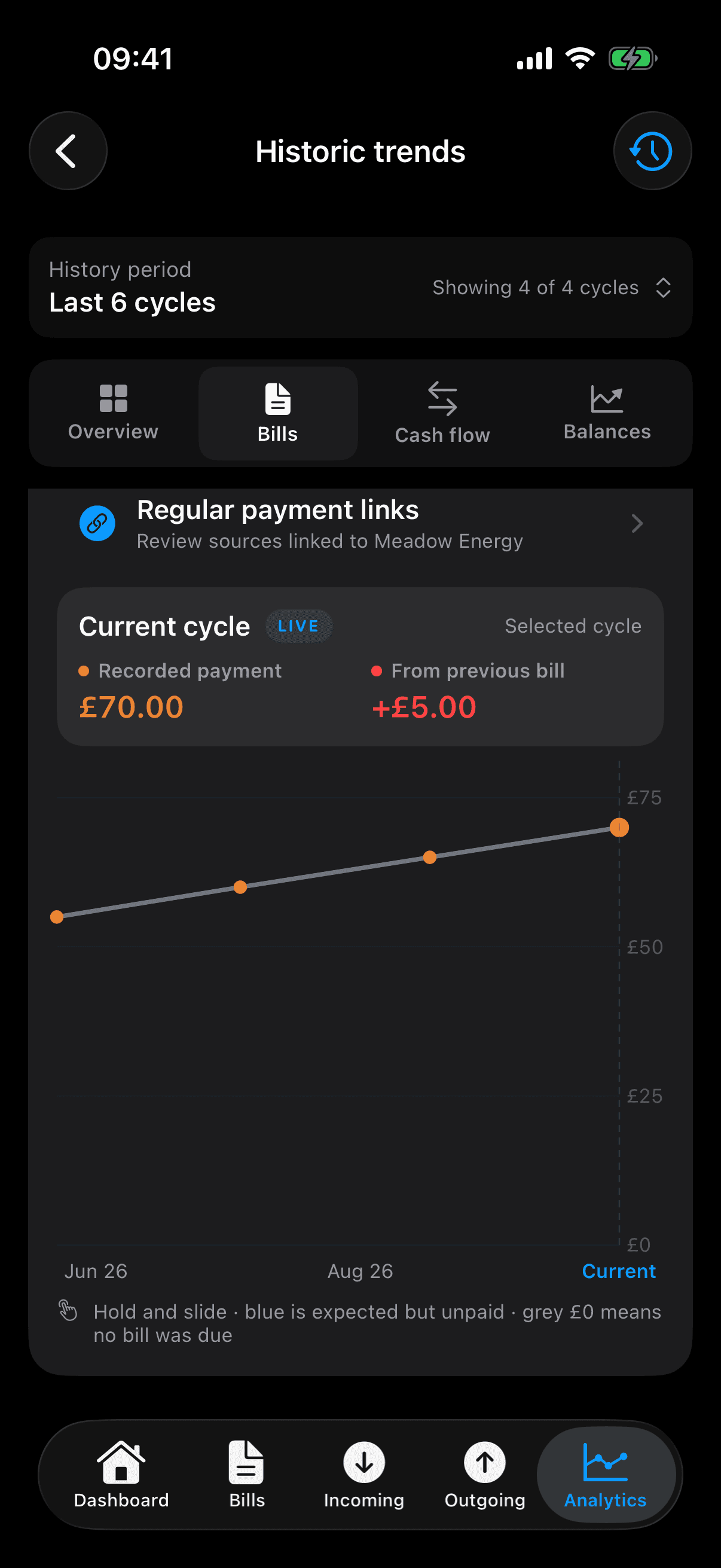
Compare recorded cycles, then follow an individual bill to see how its payments have changed. Eligible Wallet history importing is free; these analytical comparisons are part of Plus.
In this saved fictional history, Meadow Energy has one paid bill in each cycle: £55 in June, £60 in July, £65 in August and £70 in September. The current cycle’s £70 is £5 more than the previous bill.
A higher recorded amount can reflect usage, timing or other changes. It does not by itself prove a supplier price rise.
Follow one regular bill across your recorded cycles. Saved fictional plan history; September is current and its bill is already paid.
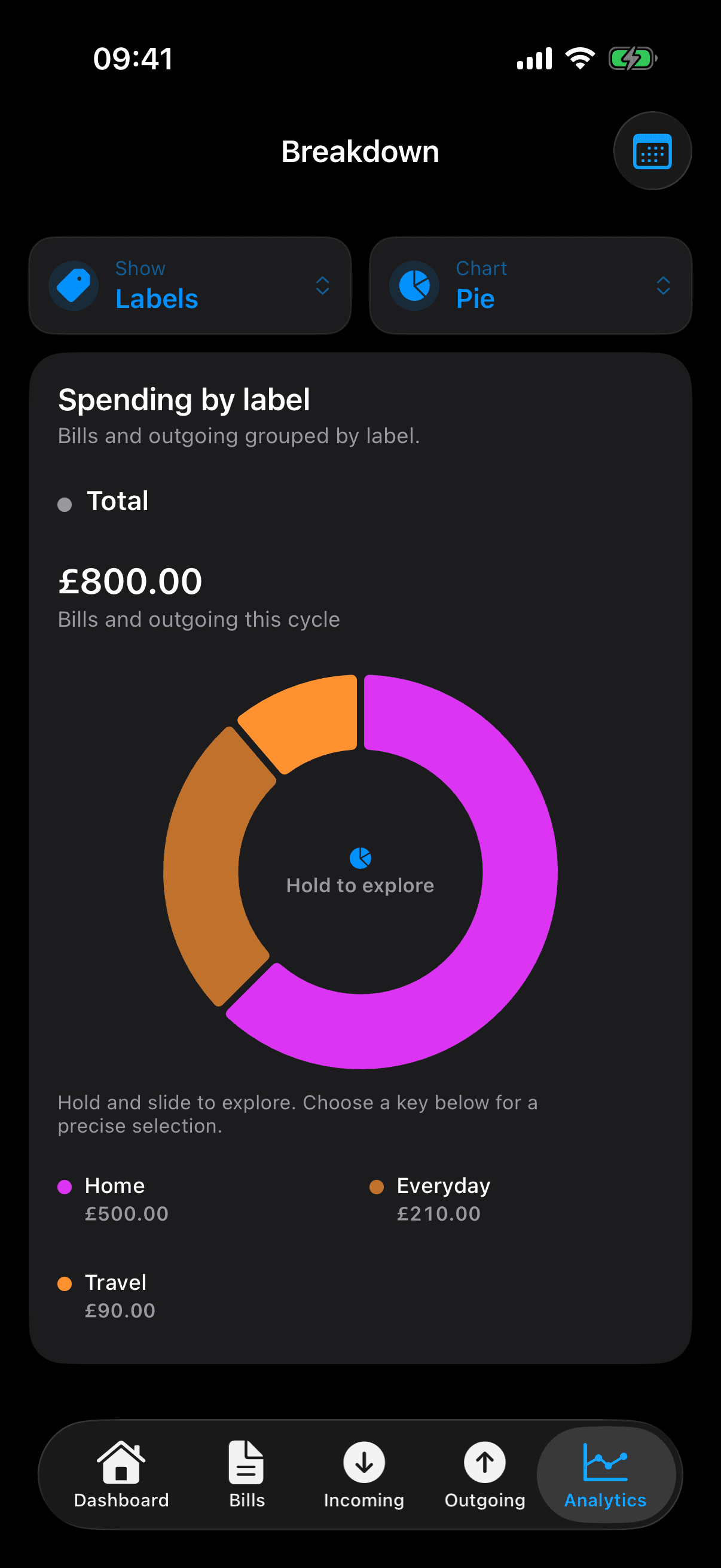
See where the money goes, too.
Standard labels and filters are free. Optional Plus Balance Visualise adds analytical breakdowns by label: explore a section of the chart, then look at the records behind it.
This separate £800 example includes paid and planned spending in one cycle.