
Sam Plus · Optional upgrade
Your money has a story.
Get the fuller picture.
Sam gives you the everyday essentials. Plus turns the income, bills and spending in your plan into a more detailed view of what's changing—and what may be ahead.
Interactive balance forecasts
Go from the line
to the reason.
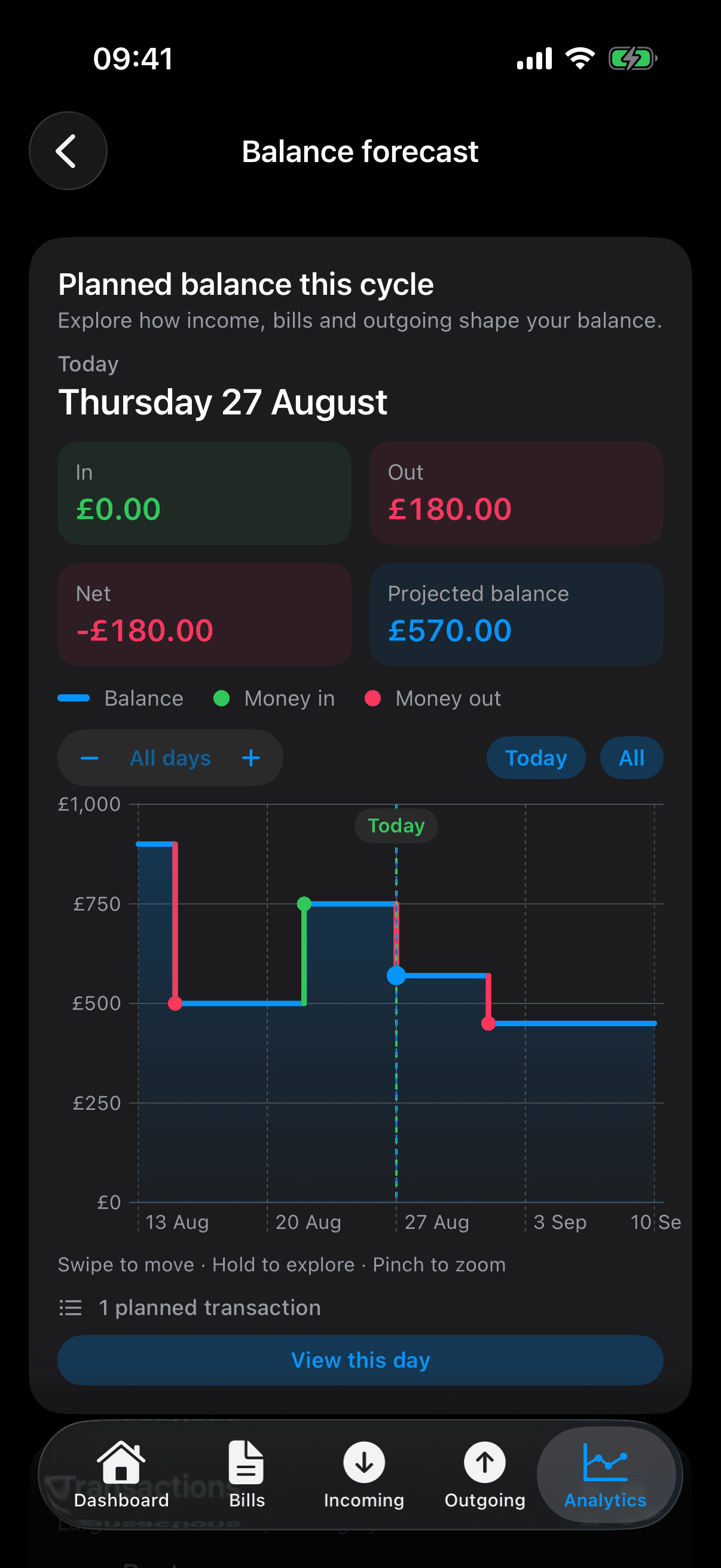
Explore a date on the forecast to see the money expected in, the money going out and the projected balance. Open its day details to see the actual items behind the change.
This forecast uses a separate fictional plan. It ends at £450 if the expected income and outgoings happen as planned. A forecast is not a guaranteed balance.
Breakdowns and trends
See the big commitments.
And the little things together.
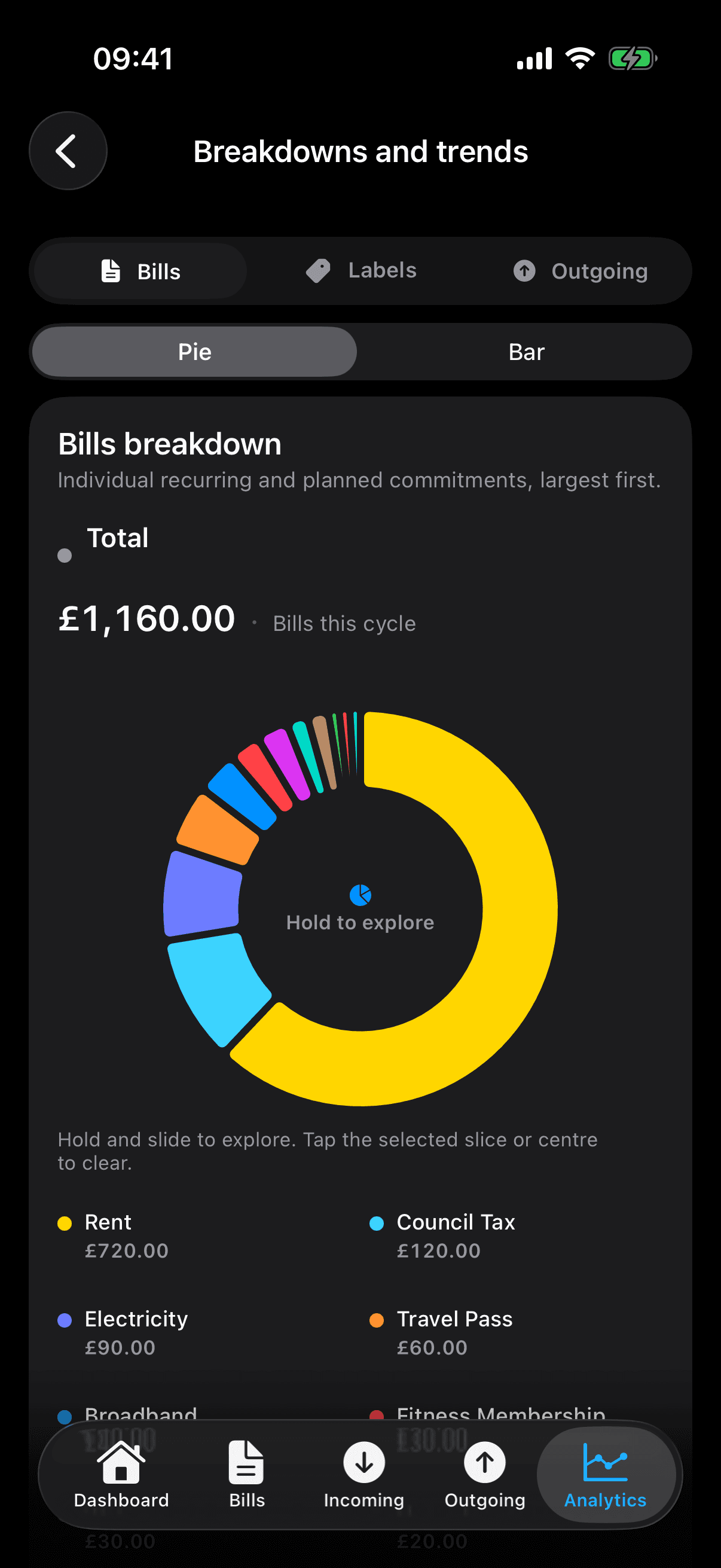
Compare individual bills, group bills and spending by your labels, or look at one-off outgoing by merchant. Switch between pie and bar views, and explore the chart in the app.
The examples show three different views of the same plan: £1,160 in bills, £1,700 in bills and outgoing together, and £540 in one-off outgoing. Paid and planned items are included—not just purchases already made.
Plus also lets you compare planning cycles, so you can look beyond one month's picture. Browsing your saved cycle history and organising labels remain part of standard Sam.
Your plan, portable
Keep a copy.
Take it with you.
Export an encrypted Sam backup file and import it back using its password. Export your current cycle as CSV when you want a spreadsheet-friendly copy.
Sam Plus also offers optional private iCloud backup. Existing iCloud backups remain available to restore or delete without an active Plus subscription.
Sam backup files restore a complete plan and replace the current local data. CSV is an export format; it isn't a transaction-import feature.
Backup and data questions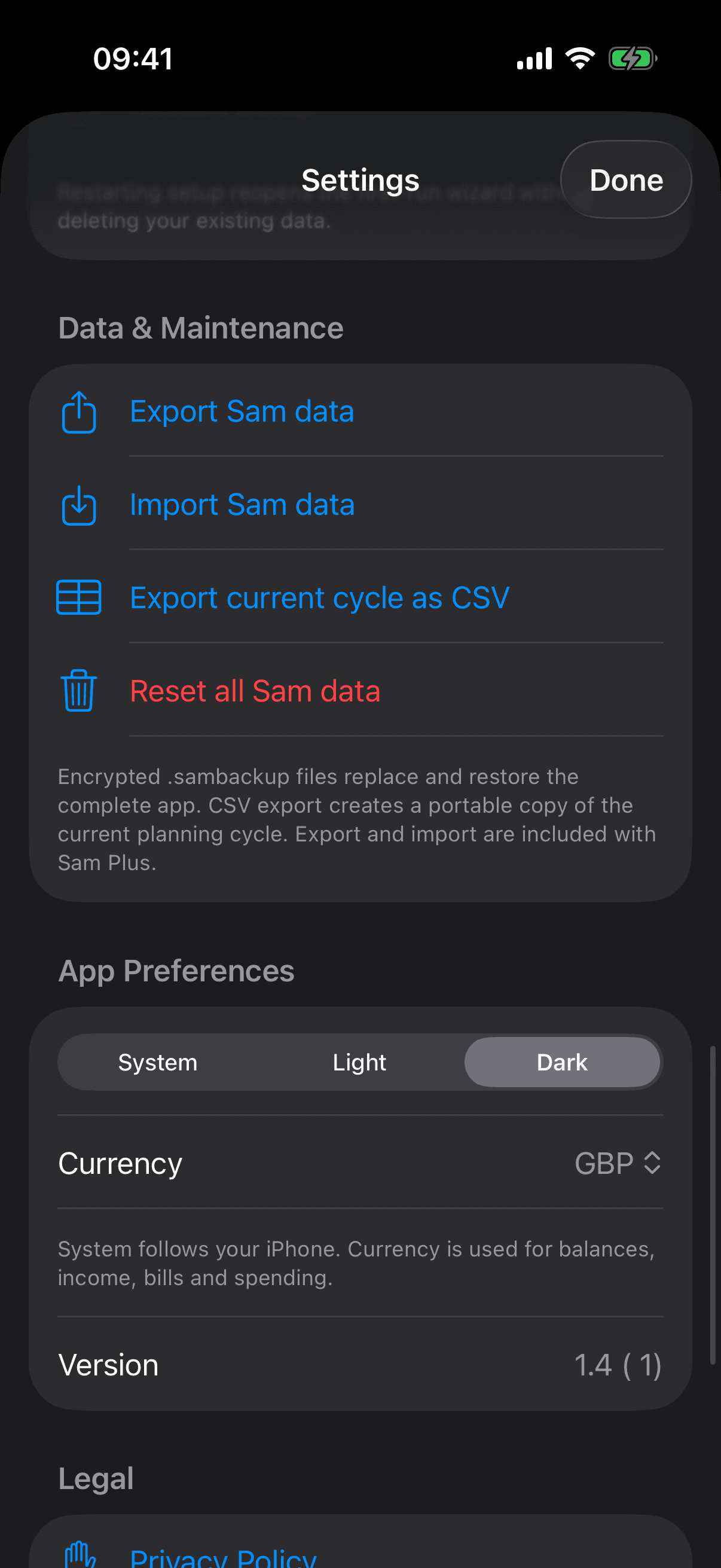
Everyday clarity stays with Sam.
Wallet pairing, Available to Spend, labels, cycle history and basic insights don't require Plus. Final Plus pricing and any introductory offer will be shown before purchase.
Sam is in development
Help shape what comes next.
Join for beta invitations and launch updates. No payment details, no commitment.
Join early access